
Google’s Salesforce CRM Breach (June–August 2025)

September 2, 2025

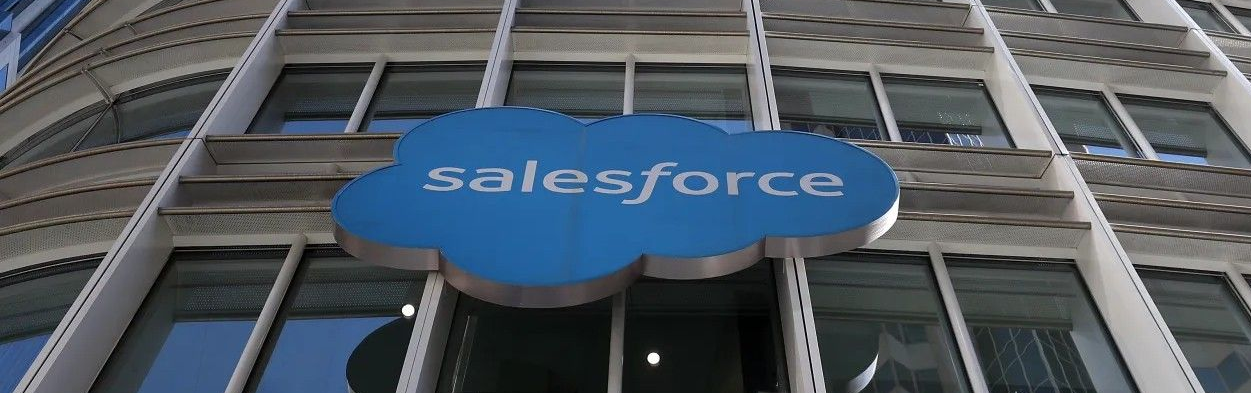
In June 2025, a hacking group known as ShinyHunters (tracked as UNC6040) successfully compromised one of Google’s corporate Salesforce instances. They executed a voice-phishing attack (vishing), tricking a Google employee into installing a malicious version of the Salesforce Data Loader app, granting the attacker unauthorized access. 
What was exposed

The breach exposed basic business contact information—company names, phone numbers, notes—for small and medium-sized businesses (SMBs). Importantly, this did not include Gmail account passwords, billing details, or other highly sensitive personal data.


Timing and impact

Google completed notifying affected users by August 8, 2025, and publicly confirmed the incident in early August.


Risk factor

The main concern isn’t stolen passwords, it’s the risk of phishing and social engineering attacks using the leaked contact info.


Affected organizations

Notably, Zscaler disclosed that its Salesforce instance was breached in this campaign, resulting in disclosure of customer support case details, business emails, job titles, phone numbers, product data, and regional info. They’ve since revoked integrations and rotated keys.


Response

Salesloft and Salesforce revoked all Drift-related tokens and removed the app from their marketplace. Companies were instructed to revoke credentials, rotate API keys, review logs, and monitor for further unauthorized access.


What You Must Do Now

If your organization uses Salesforce or any third-party integrations like Salesloft Drift:

  1. Audit all connected apps. Deny unnecessary access, apply least privilege.
  2. Revoke and rotate OAuth tokens, API keys, and credentials linked to Salesforce.
  3. Monitor logs for unusual access or SOQL queries, especially deletions or exports.
  4. Train your team. Social engineering remains the biggest risk.
  5. Review support case security. Ensure no sensitive customer info is stored insecurely.

December 1, 2025
We've made an exciting change to how we serve our customers at Top City Tech. We are moving away from walk-in or drop-offs at our shop. Instead, we're bringing our expertise directly to you. We are now picking up devices from you, working on them, and returning them to you! Why This Change Benefits You Your time is valuable. We realized that requiring you to pack up your computer, drive to our shop, wait for service, and make another trip to pick it up was costing you hours of productivity. By coming to you, we're eliminating that hassle entirely. Faster turnaround. Without the overhead of managing a retail storefront, we can focus entirely on solving your technical problems quickly and efficiently. Many issues can be resolved on-site during our first visit, getting you back to work the same day. More personalized service. Seeing your technology in its actual working environment helps us provide better solutions. We can address network issues, printer connectivity, and other problems that only show up in your specific setup. How Our New Process Works 1. We Pick Up . Schedule a convenient time, and we'll come to your location to collect your equipment. No packing, no driving, no waiting in line. 2. We Do the Work . Your device gets our full attention in our workshop. We'll keep you updated on progress and any findings along the way. 3. We Return Everything . Once the work is complete, we deliver your equipment back to you, set it up if needed, and make sure everything is working perfectly before we leave. The Bottom Line This transition allows us to provide you with white-glove service that respects your time and delivers better results. You stay productive while we handle the technical heavy lifting. Ready to schedule a pickup? Send us an email, call, or text to get this started. Note : We no longer offer electronics recycling services. For recycling, please contact Mobile Wave Repair or Shawnee County Hazardous Waste to check on availability and capacity.
November 20, 2025
You've got Bitwarden set up. Your passwords are saved. Now what? Websites change. You need to update passwords. You want to add new accounts. Here's how to manage everything in Bitwarden.
November 20, 2025
You've been using your web browser to save passwords—Chrome, Edge, or Firefox has been remembering them for you. Now you want to move all those passwords into Bitwarden so they're more secure and work across all your devices. Good news: you don't have to type them all in manually. Here's how to move them over.