
What is a Firewall and Why You Absolutely Need One
September 9, 2025
What is a Firewall and Why You Absolutely Need One
Think of your business network like your office building. You lock the doors at night so random people can’t just walk in. A firewall is that lock for your computers and internet connection.
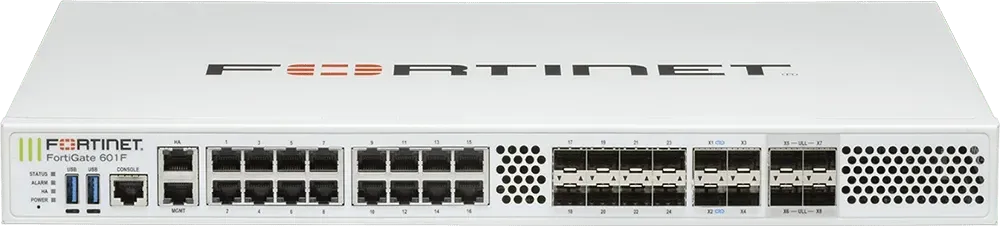
What a Firewall Does
- Blocks bad traffic: Hackers and malicious software constantly try to connect to your devices. A firewall acts like a security guard, stopping them at the door.
- Controls what goes out: It also keeps an eye on outgoing traffic, so if malware sneaks onto your system, it can’t easily send your data out.
- Protects your whole network: Whether you’re on Wi-Fi, wired internet, or cloud services, a firewall creates a safe barrier between your devices and the open internet.
Why You Need One
- Hackers don’t take breaks. Automated bots scan the internet 24/7 looking for easy targets. Without a firewall, you’re basically leaving your front door wide open.
- Data protection. Even a small business holds valuable information: customer records, invoices, login credentials. A firewall helps keep that safe.
- Peace of mind. Instead of worrying about every new threat, you have a strong first line of defense working for you.
Types (Keep It Simple)
- Software firewalls. Built into your computer (like Windows Defender Firewall). Good for individual devices.
- Hardware firewalls. A physical device that sits between your network and the internet. Best for businesses, since it protects everything connected.
- Managed firewalls. If you don’t want to deal with settings and updates, you can outsource this to an IT provider.
Bottom Line
A firewall isn’t optional anymore. It’s the difference between running a business with a locked front door or leaving everything wide open. If you’re not sure whether your business already has one - or if it’s set up correctly - get it checked. It’s one of the simplest, most effective steps you can take to keep your business safe.
We've seen it tones of it in just the last few weeks. Different customers. Different emails. Same result: hacked computers, stolen passwords, and hackers controlling their machines remotely. Here's what's happening—and what you need to know to avoid becoming the next victim.
You get an email from your bank. It says there's a problem with your account. Click this link immediately to fix it. You click. You enter your password. Congratulations—you just gave a hacker everything they need to steal your money. That's phishing. And it's the number one way people get hacked. Here's how to spot it before it's too late.
If you've ever had your screen hijacked by a scary pop-up claiming your computer is infected and demanding you call "Microsoft Support" immediately - you're not alone. These scareware attacks are one of the most common issues we see at Top City Tech, and they're getting more sophisticated every day. The good news? There's a simple fix that takes just a few minutes.